

Intro and Musings
“Dread it, run from it... AI Coding arrives all the same” - some Purple Guy, probably.
Where to start with AI coding? Let’s start with an admission. I can’t code. I've tried to learn python at least three times, and it just doesn't grab me. My brain isn’t wired for it, but that doesn’t mean I’m an idiot. It’s just not where my talents lie. I’m an idea guy. I have concepts, thoughts of what I want to use for tools, application usages, etc.
Sure, I understand the basics. Dictionaries, libraries, integers, floating point. That rudimentary understanding really helped me get outside of the turnkey mindset and realize just how malleable computing really is. And decades of time in IT provide me with a clear understanding of how things work, for the most part. It’s what drives me to keep learning new things, and acknowledging what strengths I need to play to.
But the ability to create has always been frustratingly out of reach, until now.
“VIBE”
Let’s be honest, “vibe coding” is an insult. So was “script kiddie.” And I get it. Both are shortcuts that established practitioners of the dark art of programming look down their nose at. Trust me, I GET IT. But there are differences between a vibe coder and a citizen developer. Let’s get into what that is, because as you go on this journey with me, I need you to be less vibe and more citizen. And that’s all about responsibility and humility. Citizens, you will not replace programmers. If anything you'll free them up to work on more complex solutions as your reliance on them for basic things wane. But blind coding is giving a chimp a machine gun and then feeding him energy drinks.
We need a structure to build on. One based on software quality, security and transparency. This little bit of Rambling Nonsense is going to focus on these goals and empower you to approach this in the safest way possible.
Clauding Around
I use Claude Code, so that’s the workflow I’m going to focus on. Let’s work out some terminology. This will be a longer section.
Claude Code - An AI tool that focuses on writing software. When installed locally, it works from a local folder/files. Recently, Code has been extended to mobile and web, which uses a cloud container as its local working source. Is fantastic at using a Git framework to manage development. We’ll do a broad overview of Git later.
Claude Chat - General purpose chat client. You can direct it to look at software repos if you want, but it’s not what it’s made for and doesn’t work with local file systems, and cloud containers are limited.
Claude Cowork - Lately Anthropic has collapsed this into chat, making it the same platform. This makes chat “agentic” in that you can schedule actions to happen automatically.

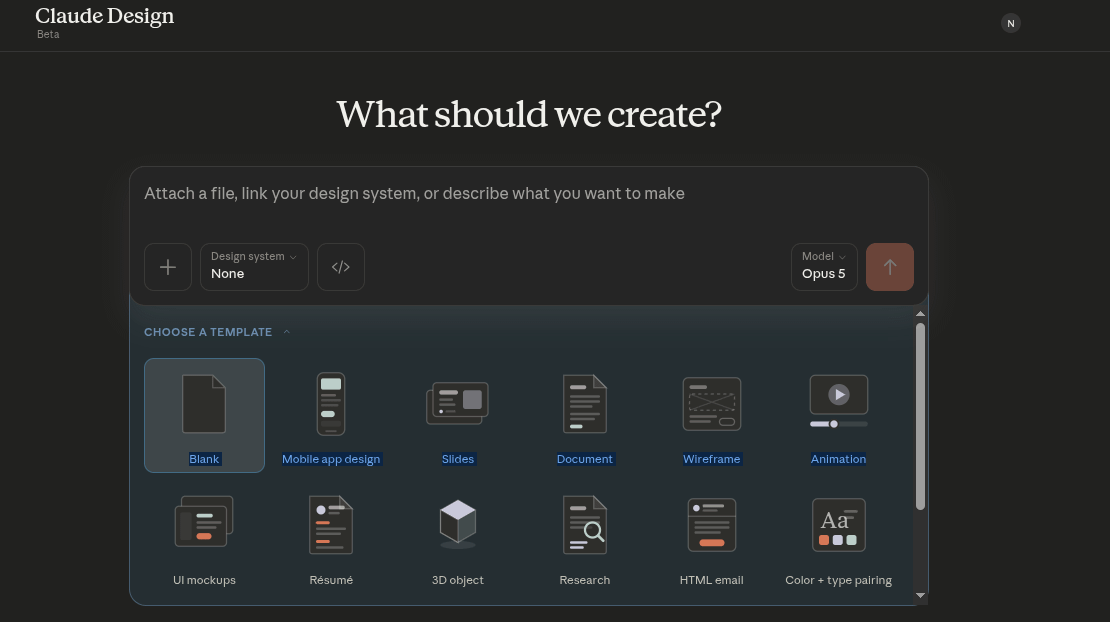
Claude Design - If you’re terrible at PowerPoint, diagrams, or web, Design is for you. There’s more nuance to this, but we aren’t focusing on this.
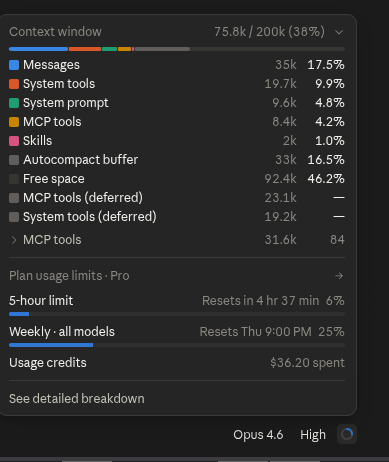
Token - You’ve probably heard of this. A token is the currency of the AI world. One token consists of roughly 3-4 English characters. Every model has a different price per token rate. Every skill, every tool, every MCP connection accelerates this usage. As a Citizen Developer we are going to learn some common sense principles to optimize our token use to minimize cost.
Context Window - A model can only hold so many tokens in a conversation at once. The context window for a Pro account is 200k. Opus 5 though…

During a coding session once you start to hit that limit, you’ll see the session halt and start to compact, saving you x number of tokens. It essentially summarizes the key points of the conversation and restarts the session. This is important, because you need to realize a session is a state. What that means is every time you reply or use a “turn” you send the entire conversation back to the model every time. Imagine you’re talking to to your kid and every time you tell them something you need to repeat everything before hand. Okay, maybe I don’t have to imagine it, but you get the point. This also includes skills and MCP connections. Even MCPs connections you aren’t using are eating up tokens on every turn. You can see details on your context at any time.
Model - Opus, Sonnet, Haiku. These are some of the models that are available. A model is the thinking part of AI. It’s a giant prediction engine, that uses billions, trillions of learned parameters to aid in the prediction. Really not too different from people if you think about it. Our daily lives work around predicting outcomes based on life experience. Hold on… existential dread is loading…loading…ok I’m good. Each model as we mentioned has different costs and use cases. We talk about using the “right” ones later.
Prompt - What you ask the agent to do. Prompts are much more complicated than most think. A simpler request is worse in most occasions. One of the most important distinctions between a vibe and a citizen is understanding of how to make a better request. More details is almost always better. Also, you must try and keep bias out!
E.G. “what’s the best” or “why is this better” is going to lean the answer towards your bias and turn into an echo chamber and lead to a poorer result. A better prompt is “compare these two”, or “what’s the consensus, and provide sources.” If you feel the need to be constantly validated in your prompts, seek therapy not AI coding.
Hallucination - AI is like a teenager. It can be confidently, provably wrong with a level of hubris that’s alarming. It can also make things up out of whole cloth, and can also try and charm you with delusions of your own awesomeness. This is where you need to be aware that it must be challenged when wrong, and learn how to make your prompts with an engineer mindset. The bias issue I mentioned is important to minimize (not eliminate) hallucinations. If the answer feels wrong, challenge it. Sometimes it’s working on faulty reasoning from elsewhere in the conversation, and it’s as simple as saying “I’m going to need you to look that up again.”
Skills - A skill is simply a set of repeatable instructions. You can ask AI to create a skill and then operate by those guardrails/instructions. What’s important to understand about skills is that they need to always be improved on. I can give my teenage son instructions and he sometimes totally ignores parts of it to get to the end result. THIS IS NO DIFFERENT. Take a look at my repo for my “vibe skills.” (I might change the name for that)
https://github.com/darthrater78/claude-vibe-skills
Now review the releases. There have been TWELVE. THIRTEEN, let’s just stop counting. I am trying to maintain a strict discipline in my coding, but there’s sometimes a loophole or flaw in logic that thinks it can move past the gates I’ve set. I then go back and show it what the result was, and it tightens it down again. You need to pay attention as the projects go about their business so you know when a skill needs tweaking.
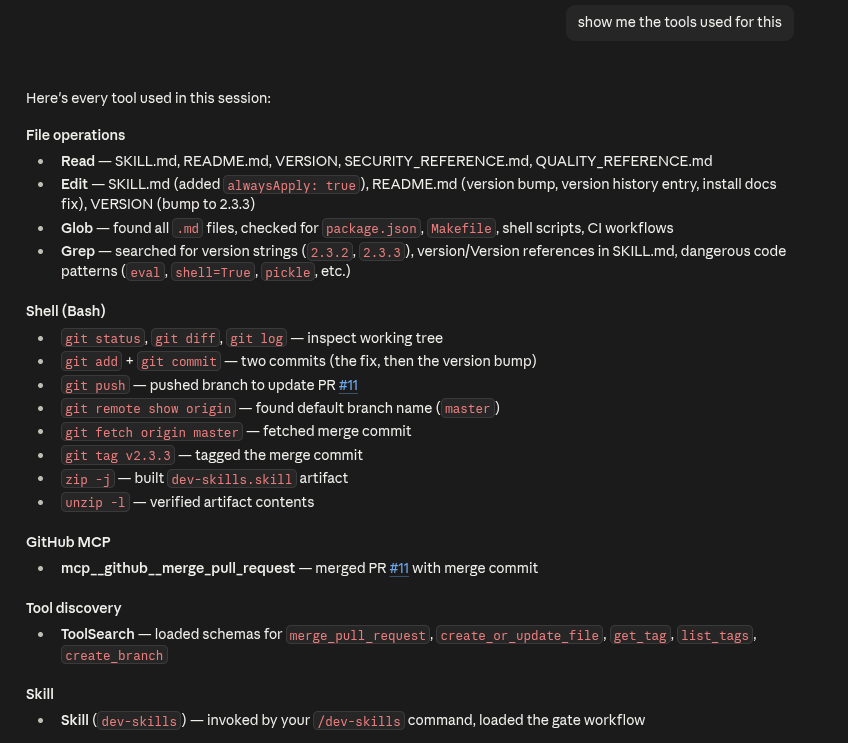
Tools - A tool is an application that AI uses to get your request completed. Maybe it’s doing a web scrape, or using open excel, or using npm etc. AI will pull whatever tool it can find to get the job done. And half the time it doesn’t tell you what it’s doing. Take a look at what it took to edit the skill just now. I did this on the web, so these were loaded against the container. With local Code it would all run locally. Tools are a huge reason why AI governance and visibility is critical.
MCP - No, not “Master Control Program” you nerd. It’s “Model Context Protocol”, though I suspect the acronym isn’t a mistake. So what is a MCP? This is important to understand. Let’s start with one of my favorites, the good ol’ analogy. Back in the day, if you had a printer, a keyboard, a mouse, or dog help you a scanner each device likely had a different connector, different IRQ, each one its own tiny little nightmare. Nothing worked together to unify these external devices into the internal system.
Then USB, “Universal Serial Bus” entered the picture. Now everything used the same connector and “artisanal” hardware was standardized to one platform. The connectors did change, but the underlying framework remained the same. The MCP is no different. It takes previously “artisanal” API frameworks and distilled them down to a software interface that you connect to. What the MCP can do with that application is coded into the MCP itself, the end user does not have to manage that. It’s the “easy” button that allows us to plug us into services and platforms with AI.
** Cough ** Governance, ** Cough **. Sorry, I think a malicious MCP connection got in my throat.
Conclusion
I think that covers the basics. We are just scratching the surface, this is by no means exhaustive, I think it barely covers “adequate.” As always the goal here is to introduce, demystify, reinforce, and excite you enough to start exploring on your own. Claude Academy is free is you want a deeper dive into these concepts.
On the next one, we’ll cover setting up our coding environment and working in the git framework.
Until next time.