

Intro and Musings
While this is going to focus on my Active Directory Diagnostic app, I am also going to details the evolution of the app, and show how the philosophy changed over time. These showcases are more companion pieces to my Citizen Developer posts to provide some nuance and perspective.
(I’m totally not finding part 4 really hard to write and procrastinating, not at all.)
The first question when building an app is “why?” The how comes later, what problem are you tying to solve? Have a framework thought out before you write the first prompt. Usually with me the why is a need to solve a process that is time consuming, boring, or annoying.
With Cert Manager the purpose was a streamlined CA system that was easy to operate. That was my overriding goal and it’s what shaped the app.
Active Directory Hyperactivity Disorder
AD Diagnostics is a tool built out of the need for a one stop shop to easily diagnose an endpoint’s connection to Active Directory. Back in the days of AD On-Prem only and legacy VPN this process wasn’t too terrible. Does the machine have a trust, is the user password current, does my VPN policy provide the right connectivity? It really wasn’t too bad honestly.
Then things started to get more complex. On-Prem Entra Hybrid, Entra Only, Entra Only with access to On-Prem Domain resources, Seamless SSO, Kerberos Cloud Trusts, what the hell is a PRT, ZNTA, etc.
The Doctor Is In
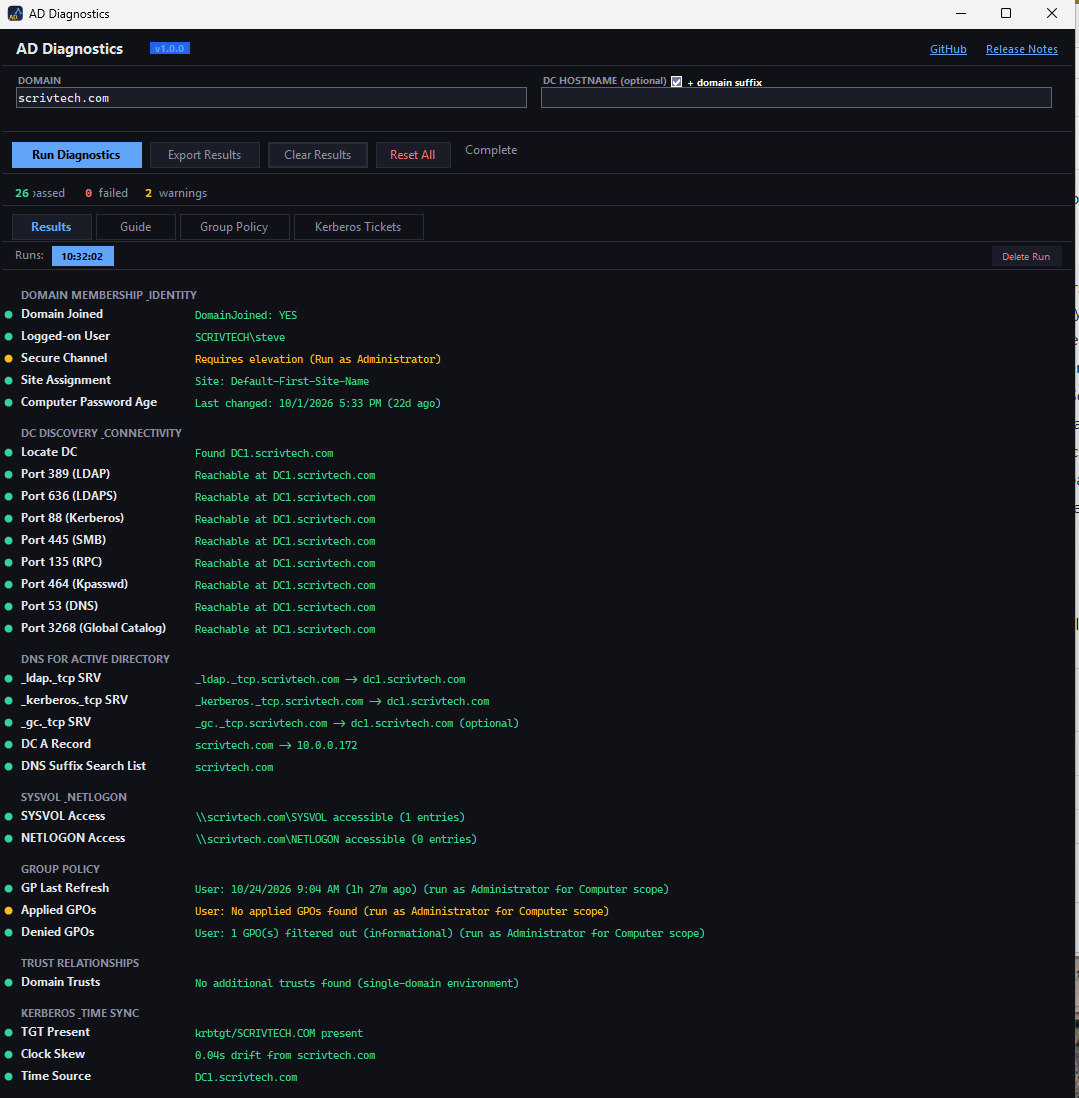
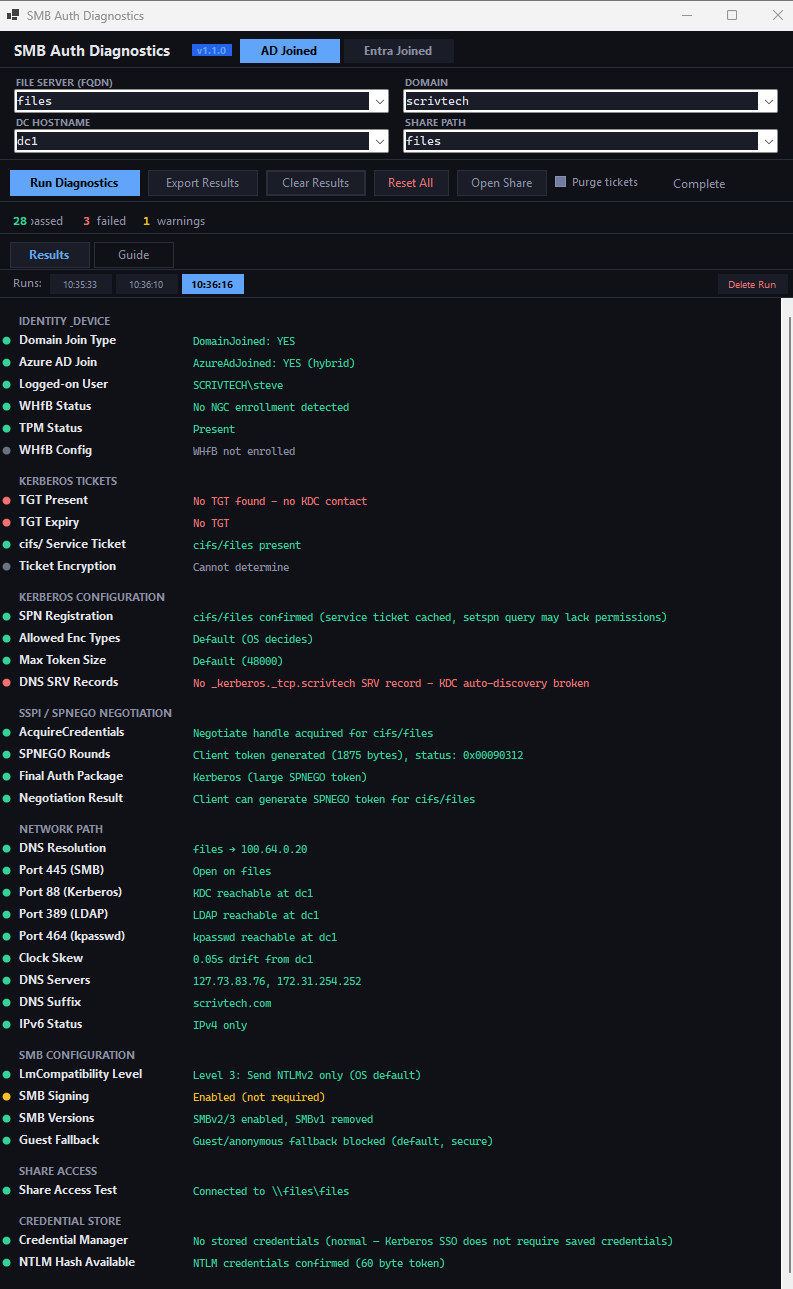
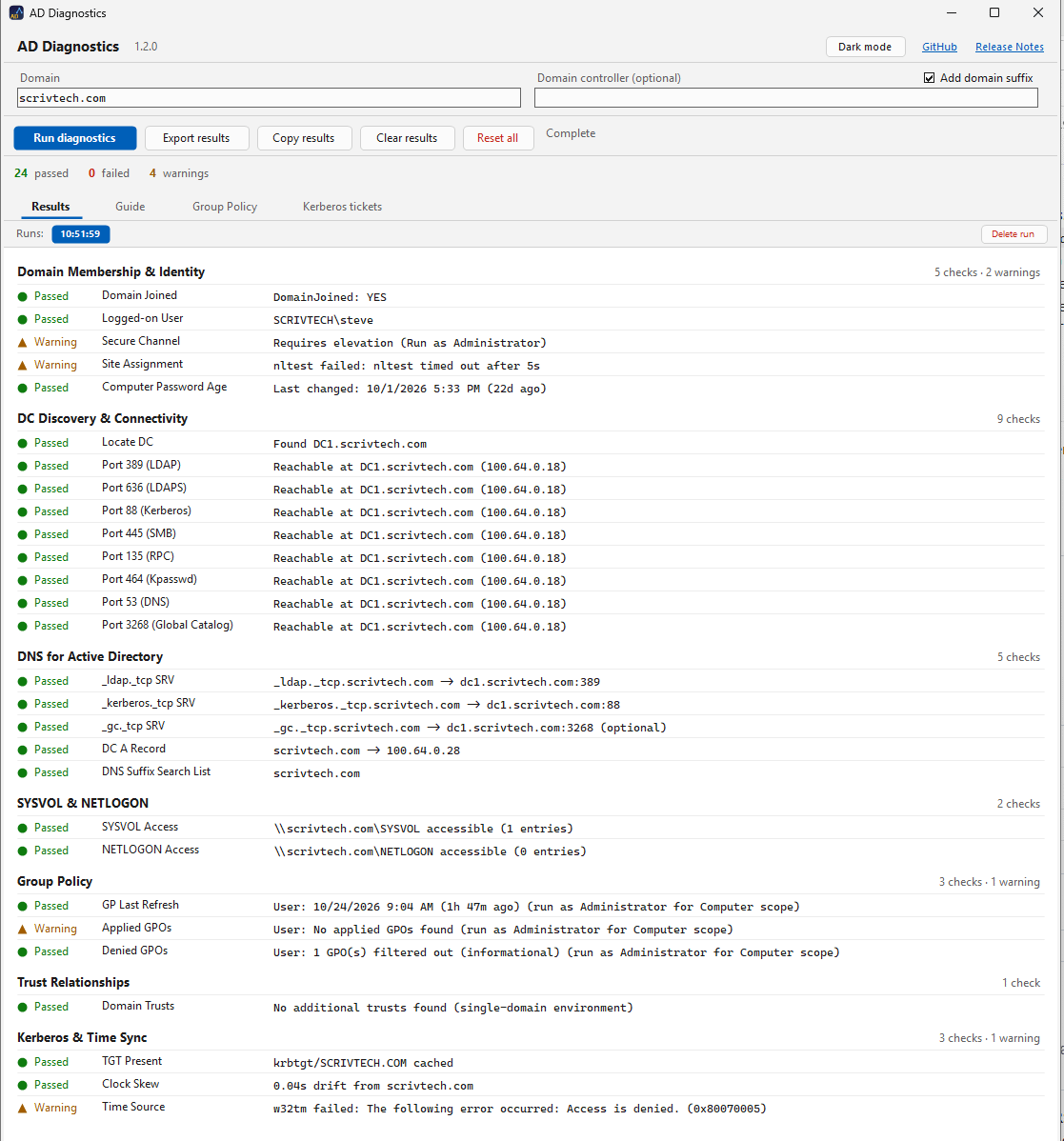
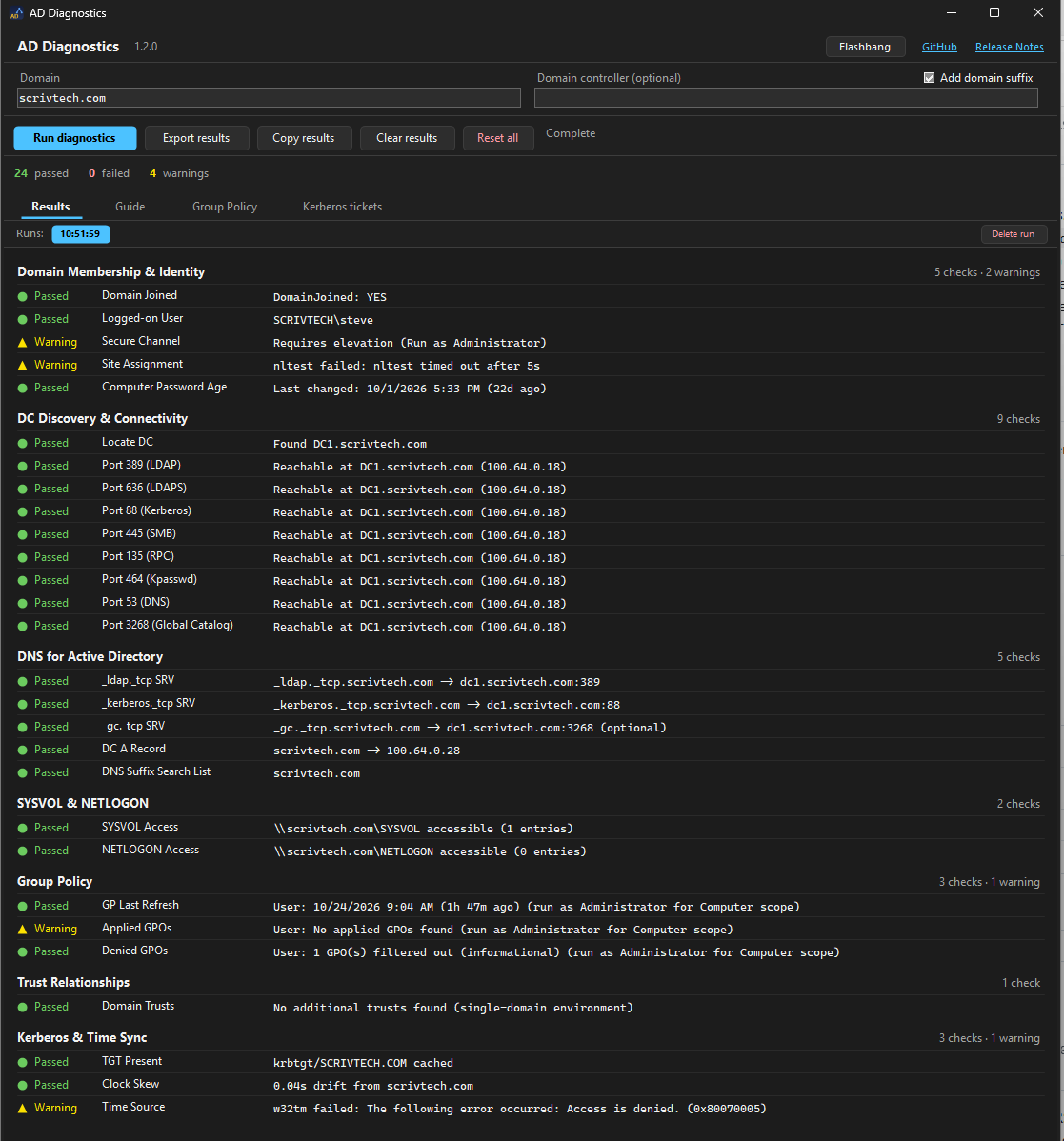
Enter Active Directory Diagnostics. A graphical one button tool to diagnose connectivity for all modern AD personas. On-Prem, On-Prem Entra Hybrid, and Entra Only. I also had a separate tool, SMB diag that I just recently rolled into this one app. Let’s look at the evolution of these tools. Below is 1.0 for both. You can see the first effort was very functional, but kind of gross to look at.
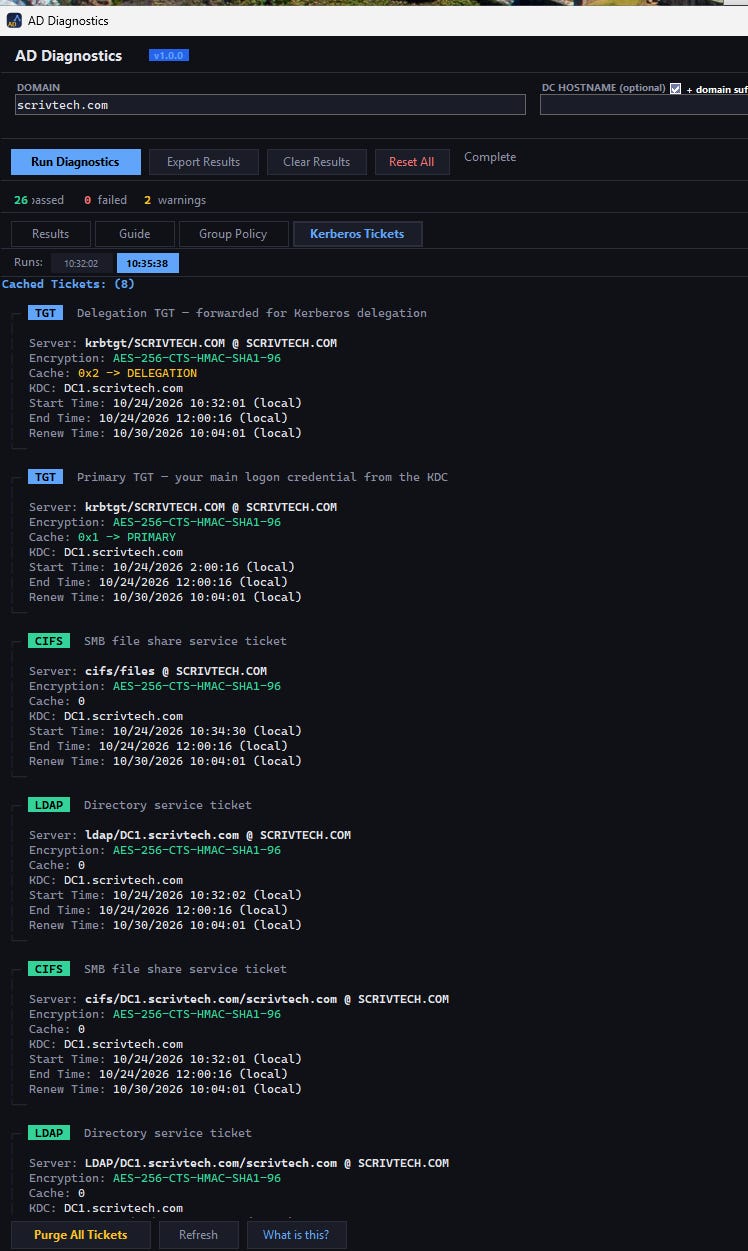
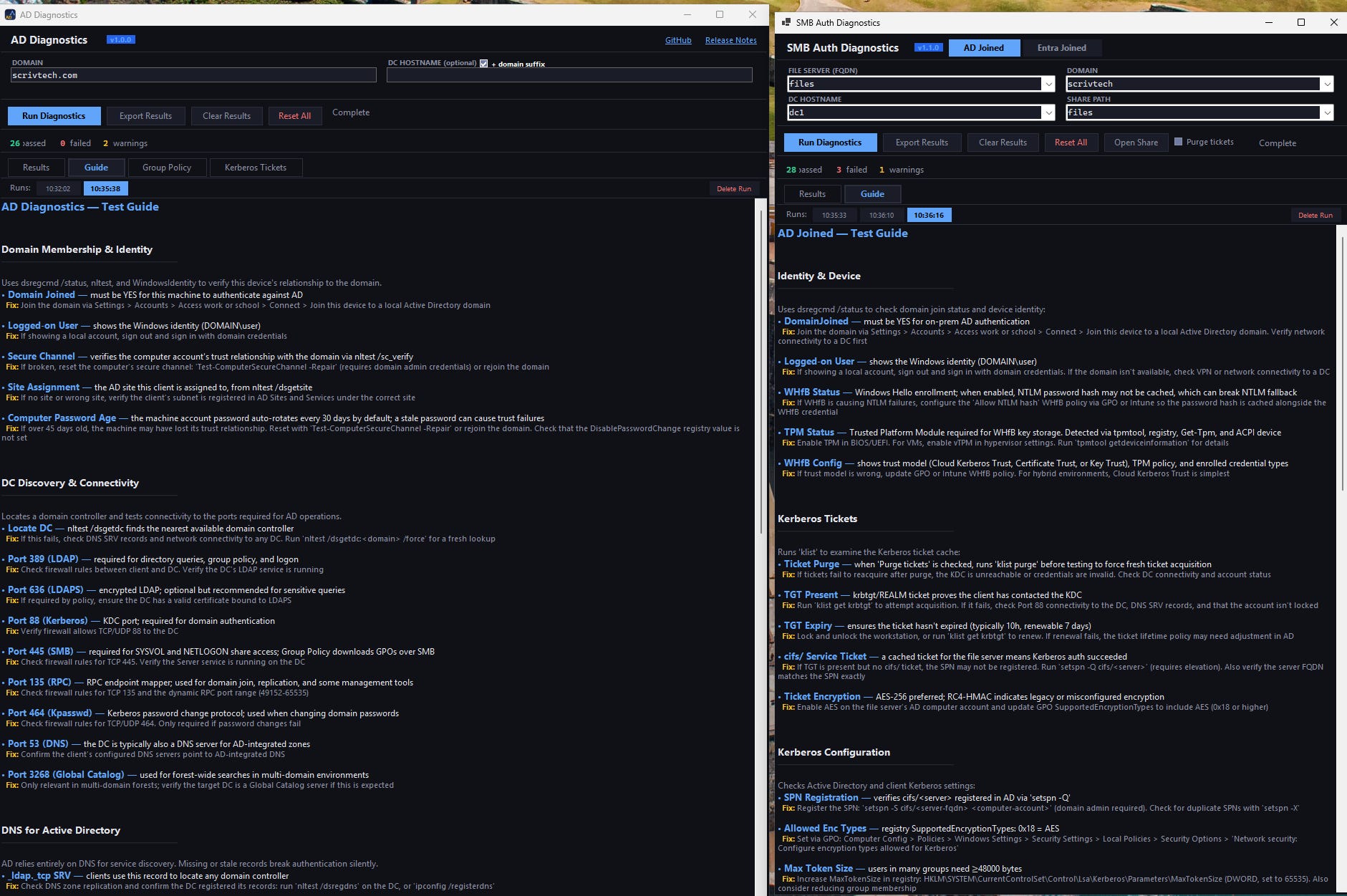
The idea was to visualize multiple touch points of friction to test and validate connectivity. The guide and Kerberos tabs served to bring those critical concepts to the forefront and include them in the troubleshooting flow.
With Kerberos, seeing and understanding what each ticket does and their use case is critical in understanding how it all ties together. Color coding and descriptions helps to tell the tickets apart.
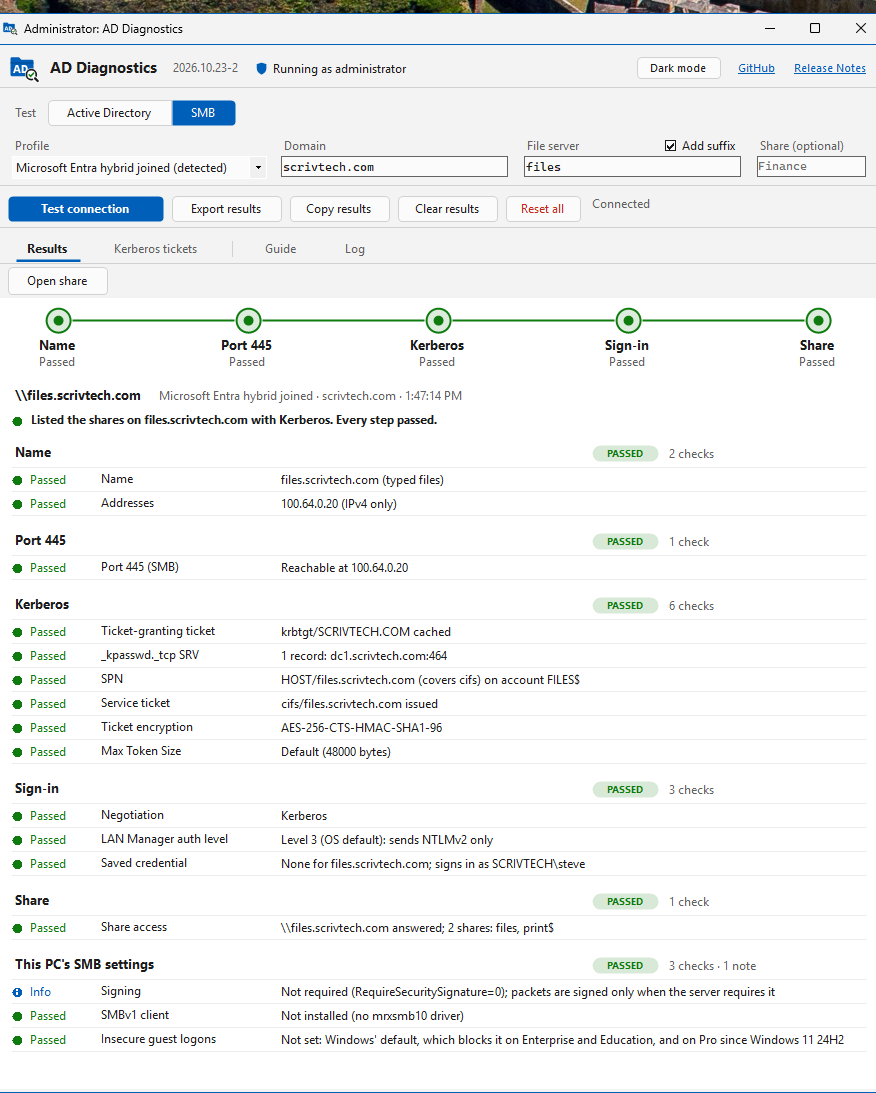
For SMB, being able to see the minimum requirements for file access makes troubleshooting what part may be broken far easier.
A concept you weren’t previously aware of? Each section has a guide and troubleshooting hints.
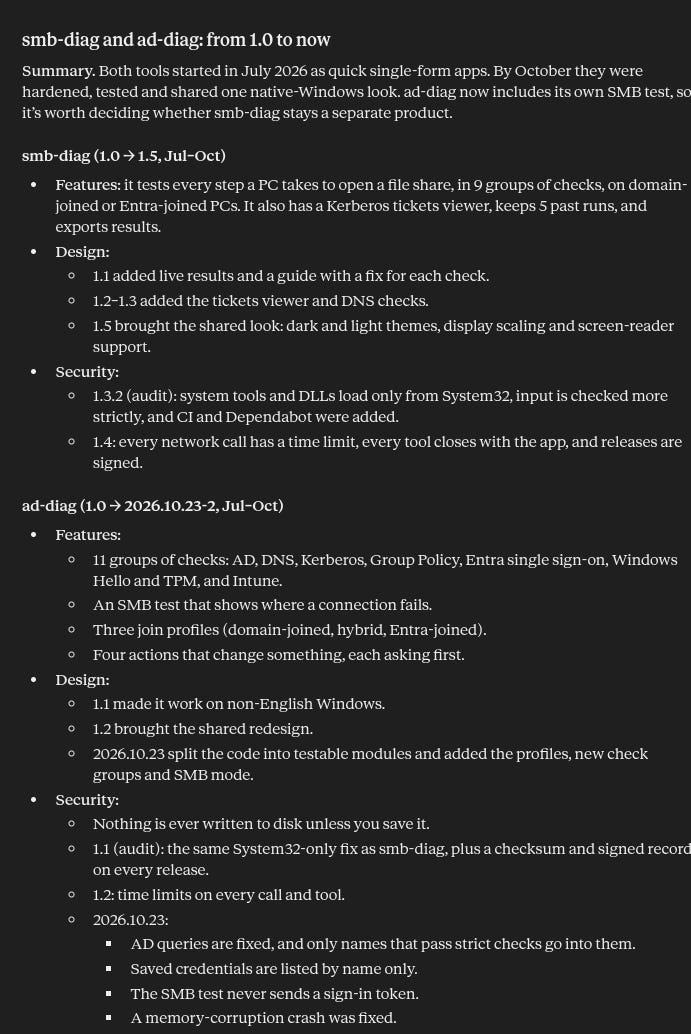
Future versions focused on security hardening and feature additions. I had Claude spin up an executive overview.
Designer Threads
So the apps went through many feature adds, bug fixes and security hardening. But an issue that was really gnawing at me was the appearance. I found while the app was functional, the appearance was so “AI”. So I added a new step to the dev skills, a design module. And it stripped away all that standard dystopia to give it a more clean look.
And it was good for a while. Great even. It was a bit of a pain two maintain the two separate apps, but both had the features I wanted. Until they didn’t.
Take It Back To Formula
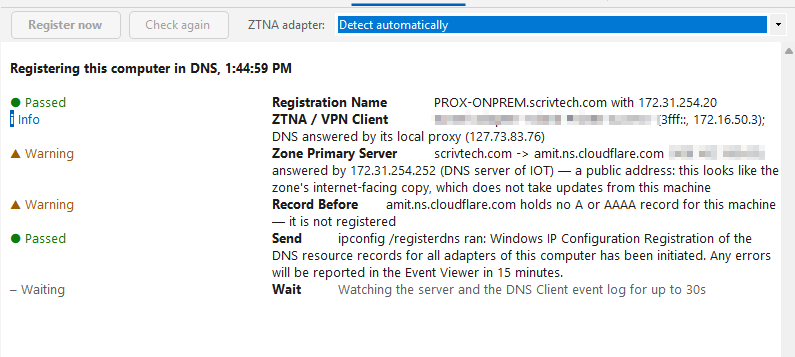
The first change came about when a troubleshooting scenario arose that required that I include a section for dynamic dns registration, which can be a pain to troubleshoot with ZTNA. Then I had someone who wanted seamless SSO in Windows with Entra, and I didn’t know that was an option with On-Prem hybrid. So this was the perfect time to re-assess the whole project, and finally roll SMB into it as well.
So let’s detail the key improvements to the app.
Versioning change. v1,2, etc is a legacy way to version. Instead, like Home Assistant I moved to YYYY.MM.DD-x. I also updated the dev skills with that logic to migrate other projects to the scheme.
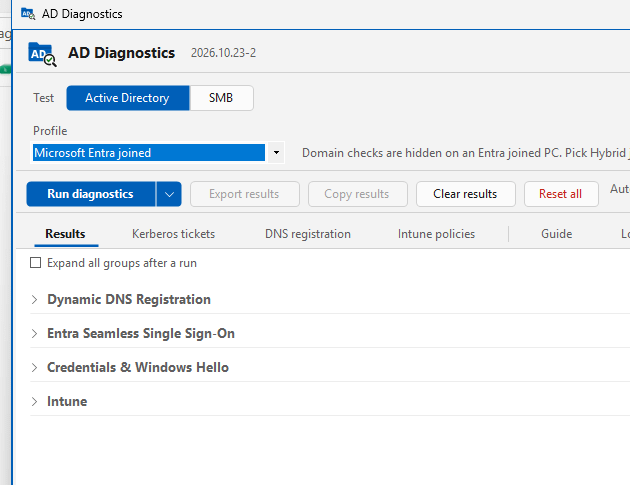
Wall of tests. I had to add more tests, and the list on the main page was long enough already. The answer? Everything starts collapsed. And if a test requires admin for full results it calls it out.
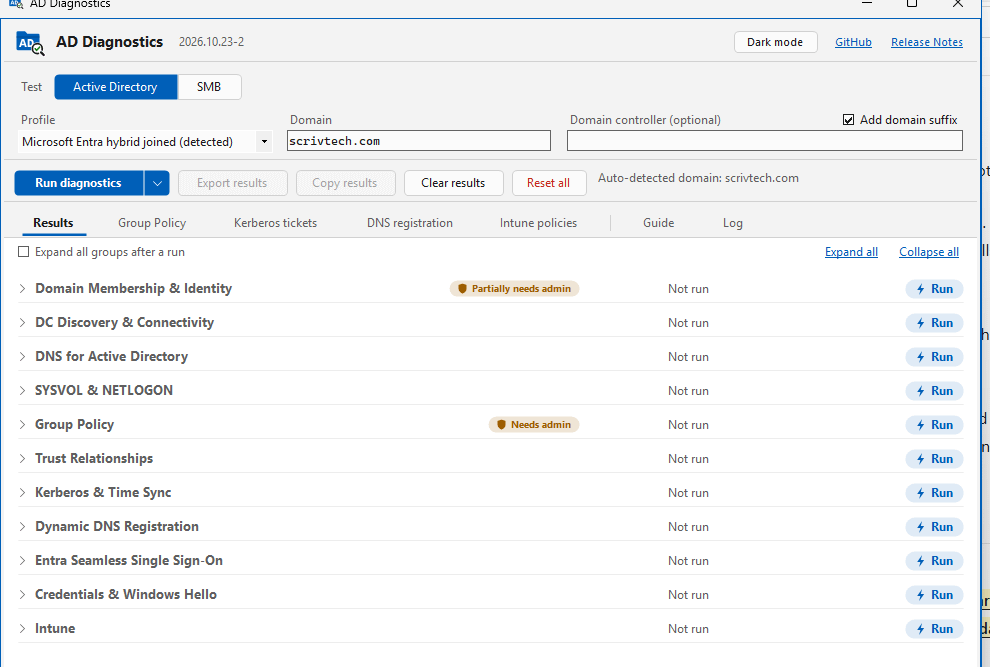
Retry tests individually
Persona auto-detection
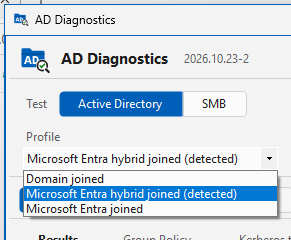
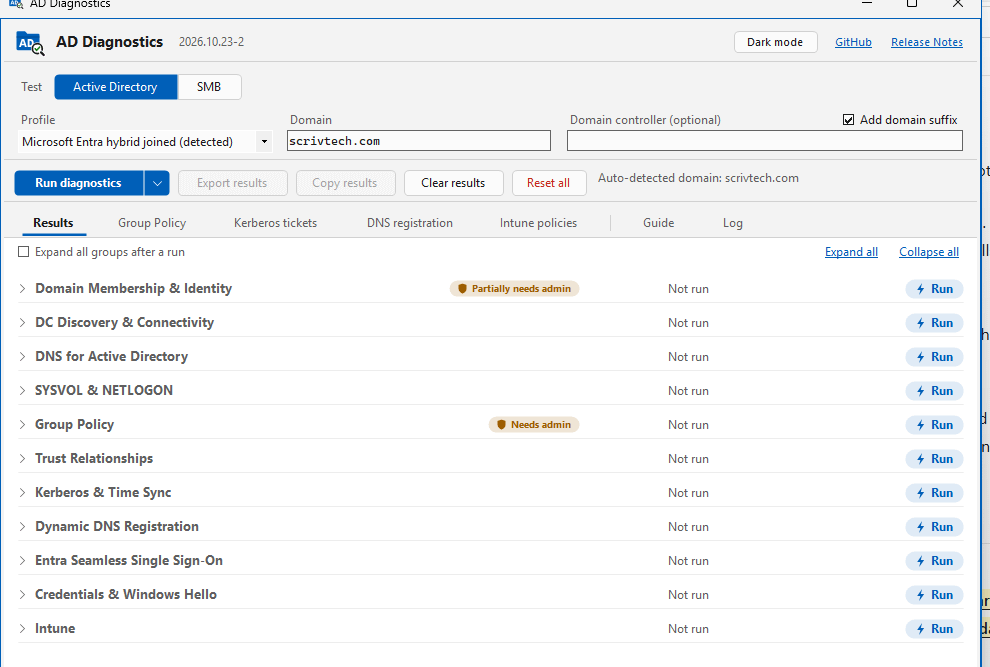

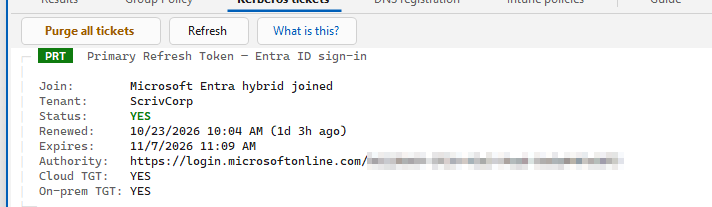
PRT Ticket display in Kerberos. Surprisingly difficult to pull out manually it seems.
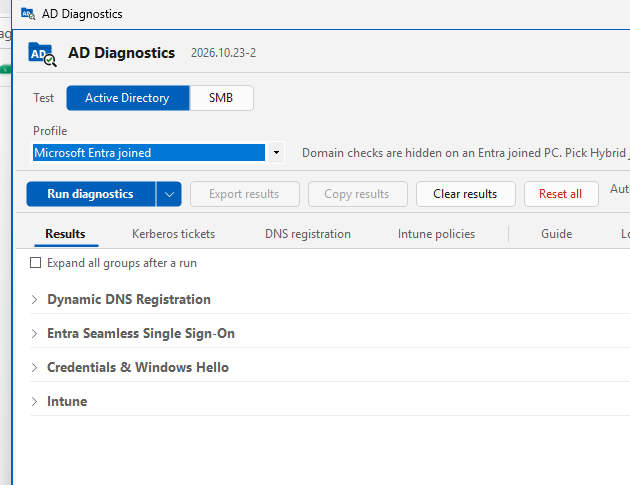
Context sensitive tests. Why run and display what you don’t need?
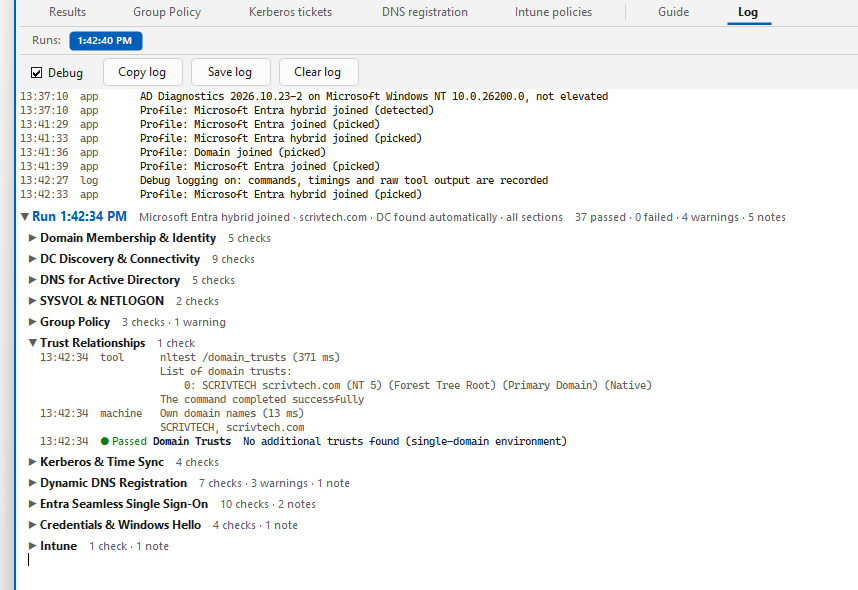
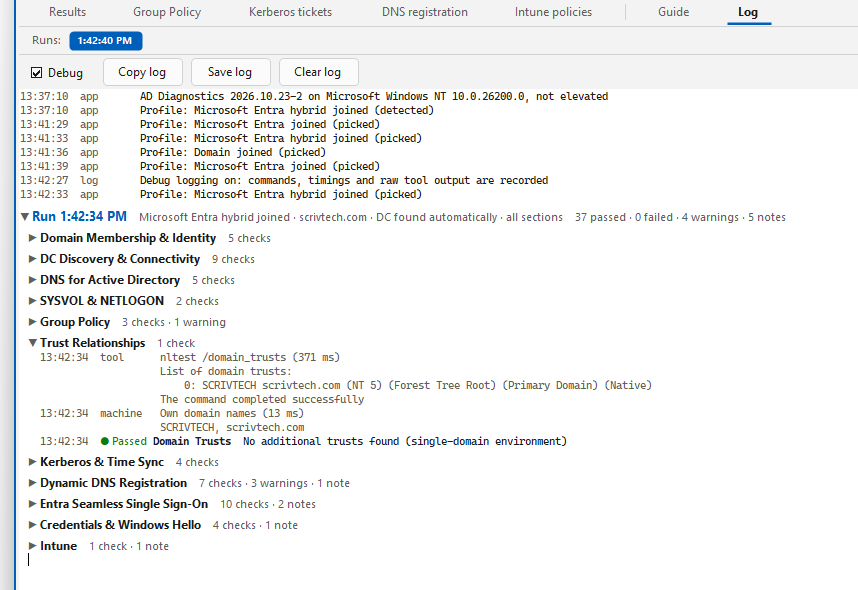
Full logging. Section, Time, and raw. The first two options are designed for readability and easy parsing.
Dynamic DNS sever troubleshooting

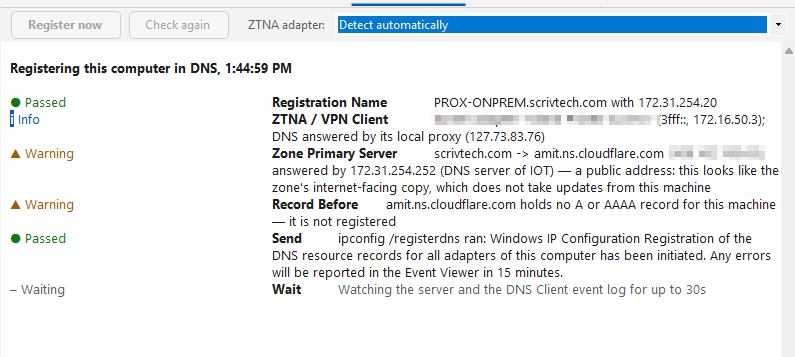
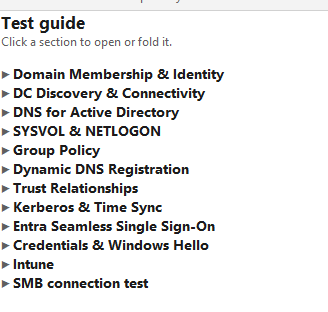
Simplified guide
SMB testing! Totally revised workflow. Now has full logging as well.
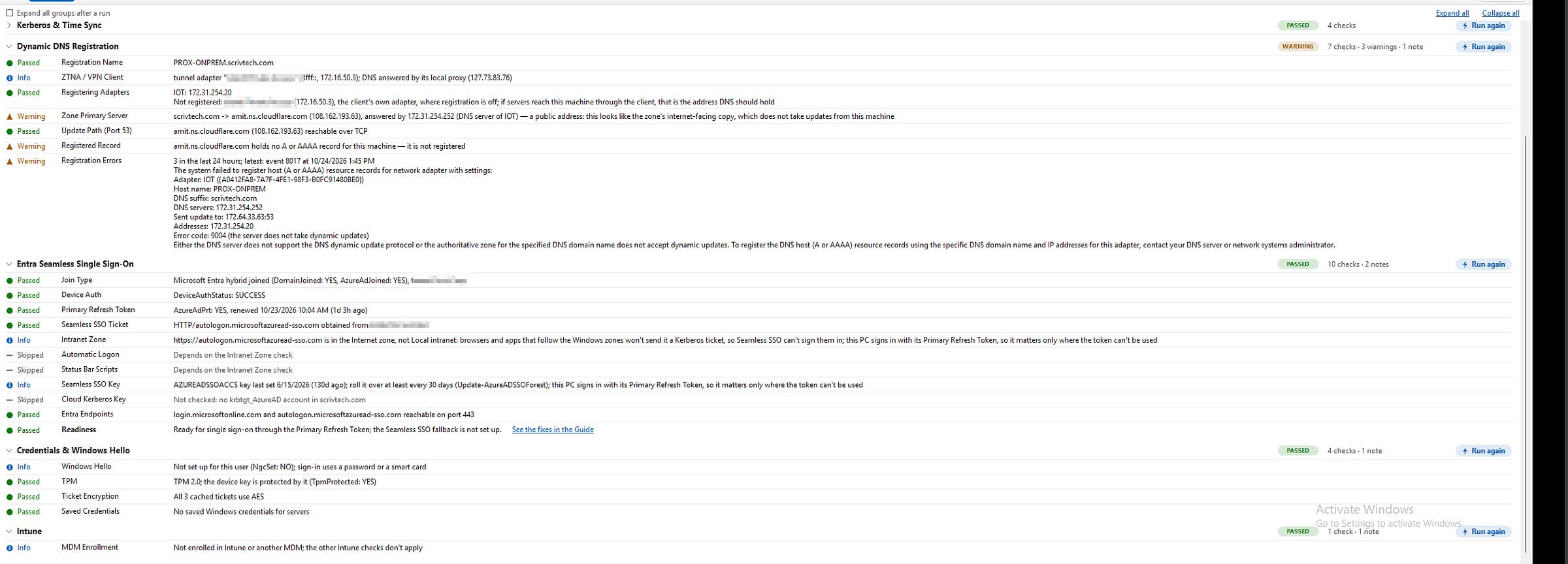
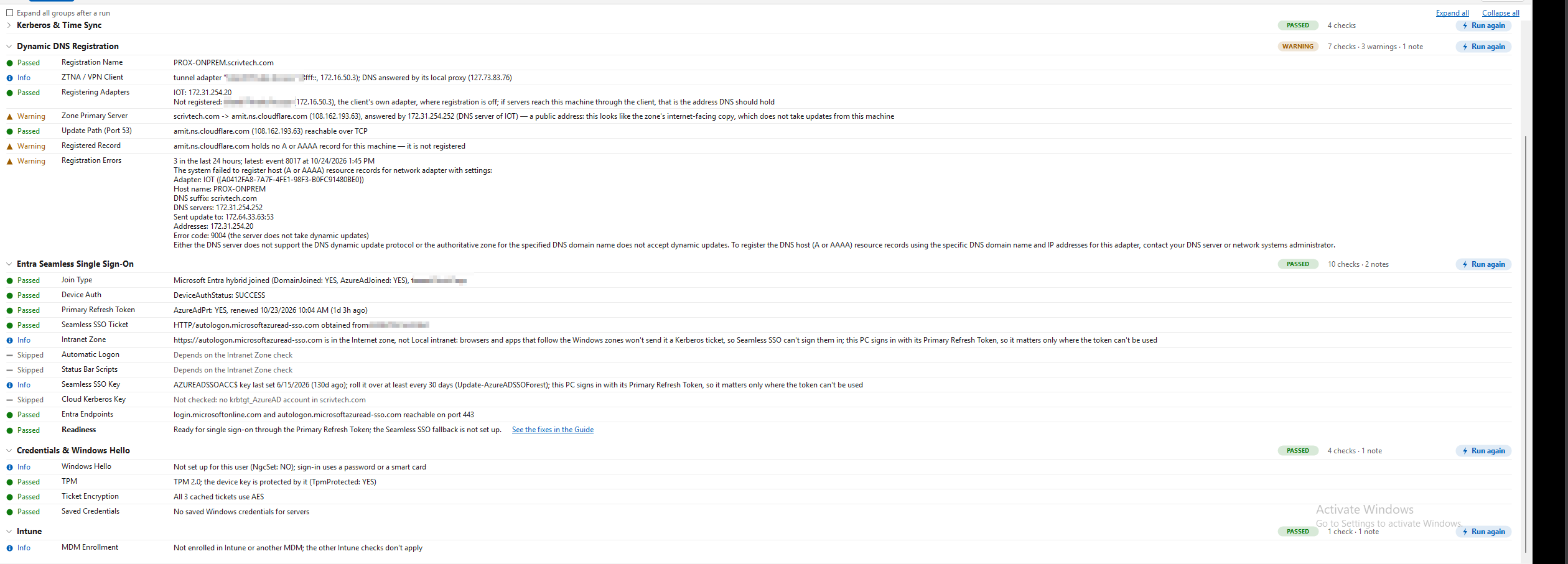
New Tests! Seamless Sign On,Windows Hello, Dynamic DNS, and Intune details.
Conclusion
You can now see the idea behind the basics of app construction and a bit of the thought process. In my opinion, it’s a bad practice to just develop and app for yourself. Plan the app app as though it’s for others as well, and then publish it. For me, that forced me down the road of thought of:
Is the app inherently secure?
Have I thought of all the use cases?
When I run an audit against the repo what is there to fix?
And most importantly, is this an app I would want to use? Apply the same critical lens to yourself as you would to other projects. Remember, a Citizen Developer asks like a Developer and doesn’t release slop. :)
Until next time.