

Intro and Musings
Well hello there! It’s happened, and I’ve moved to Linux as both my server and desktop OS in my environment. This is going to be similar to my Proxmox series where I document the journey.
That means this first part is going to be an explanation and exploration of why I made these decisions with some education along the way. After this, I’ll get into the technical weeds.
Hey, I like to tell a story and the blog is appropriately named. ;)
Up Until Now
For the entirety of my career, up until about five years ago I was hell bent for Windows.
Started with 98, and then eventually was managing and supporting large enterprise Windows AD domains. I went through every tick and tock release. I got certified, really learning the ins and outs of the OS, I even wrote a practical 75 page guide on imaging correctly with MDT.
But Linux was always lurking right out of sight. This was a dark magic, a witchcraft at which coders would pray at the black alter of the flashing white prompt. I didn’t have a use case, and at the time the Linux desktop experience was some rough business. Then as the years went on, Windows started to enter its true enshittification stages and my devotion to the OS started to weaken.
(Seriously who the hell puts a touch interface on a Server OS?!)
Fast forward to a few years ago and I’m talking to my boss Mike, and I’m complaining about how my Windows Servers were thirsty pigs. He says to me, he says “you need to look at Linux.” Then I went on about how confusing it was and how weird it was that it had no registry.
He got quiet for a second and said “Nate, Windows is weird because it has a registry. Linux is a flat file system, no one needs that crap.” Then when Proxmox came along, I had to learn some basics. I started with replacing my servers with LXCs for some of the applications I was running that used to be on Windows servers. Night and day difference. I was blown away. I was on the path from now on.
Distro Inferno
One thing about Windows is that the versions are largely easy to discern. There’s Desktop and uhhhh Server. Simple. There’s versions like Home, Professional, Enterprise etc but those are feature sets not actual different versions per say. I mean, it’s all “Windows.”
Oh boy, not with Linux though. It’s the Baskin Robbins of OSes. There.are.so.many. This is the first part that stops a lot of people. Paralysis of choice. It definitely stopped me for a long time.
To illustrate this, Linux consists of distribution “families”. I’m not going to list them all, but here’s the key ones.
Debian, RedHat/Fedora, Arch, Alpine, etc.
Now you can run those or their “derivatives.”
As for derivatives let’s take a look at Debian:
Ubuntu, Kali, Proxmox VE, SteamOS, etc.
And to make things even more confusing, some derivatives have their own derivatives!
Ubuntu has:
Mint, PopOs, Kubuntu, etc.
For RedHat/Fedora:
CentOS, Rocky, Nobara, etc.
I’m going to stop here, the list just goes on and on to infinity. Linux is less of a family tree than a bush. Let’s talk desktops and “spins.”
Spin Me Right Round
A spin isn’t a derivative. It’s a modification to one of the base OSes. It’s usually referring to the DE “Desktop Environment”.
Here’s some of the usual suspects for DE options:
GNOME (pronounced guh-nome)
Plasma
Xfce
Cinnamon
MATE
GNOME is the grandaddy DE, and the one that ships as default on many OSes. While you can install any of these manually it’s highly recommend you download a version with your desired DE baked in. A distribution like Debian offers your choice at install, while others offer discrete versions.
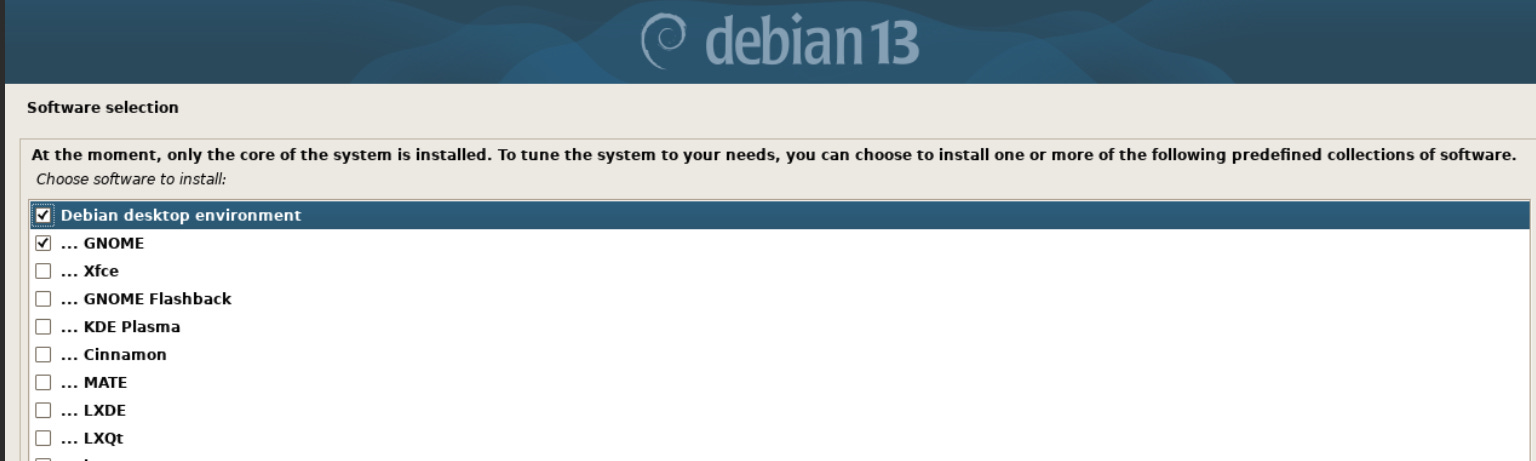
They all have major differences in how the desktop experience works. I definitely chose one, we’ll get into that shortly.
Server OS
I started with Ubuntu Server for almost a year. It was…fine, I guess? But it just seemed bloated with a bunch of things I didn’t need. It may be counter-intuitive to say a headless CLI driven could feel bloated, but even with minimal settings the install takes forever, and I find the installer to be a chore. I also wasn’t a fan of the yaml driven netplan for network configuration.
Then I found out about the whole derivative thing and my buddy Alex said “go regular Debian.”
I did, and I like it much better. The setup was simpler, install seems to be much faster and while Debian isn’t the fastest to get new features it’s rock solid. And that what I need from servers. Stability. Also the network config is pretty traditional, and not yaml based. So now all my servers and LXCs run Debian.
Desktop
So I did try Ubuntu for a while. The whole thing was very “meh” for me. I tried Mint. “meh.” I tried Zorin. “meh, again.”
Turns out I really don’t like GNOME, or Cinnamon. So I plugged along with Windows for another year. Then Windows 11 happened. And then Copilot. And then the really stupid “recall” feature. More and more it felt like I was renting my OS and not owning it. So much tracking. And then ads?! There’s a script from Chris Titus I was using to remove all this crap and while it worked, then the machine itself started to act oddly.
This nonsense runs so deep trying to mitigate or remove it just makes the whole thing unstable. I kind of sat back and realized if I need to go to these kind of lengths to keep my computer mine, it was time to be done. But where to go? I went to Claude and asked for advice.
My requirements:
Gaming support (long a difficult thing with Linux)
A Windows like desktop experience
The ability to run Windows apps if needed.
A general, all purpose machine that excels at overall takes.
And it came back with:
Windows 11.
I’m kidding. It said Fedora 43 with KDE Plasma.
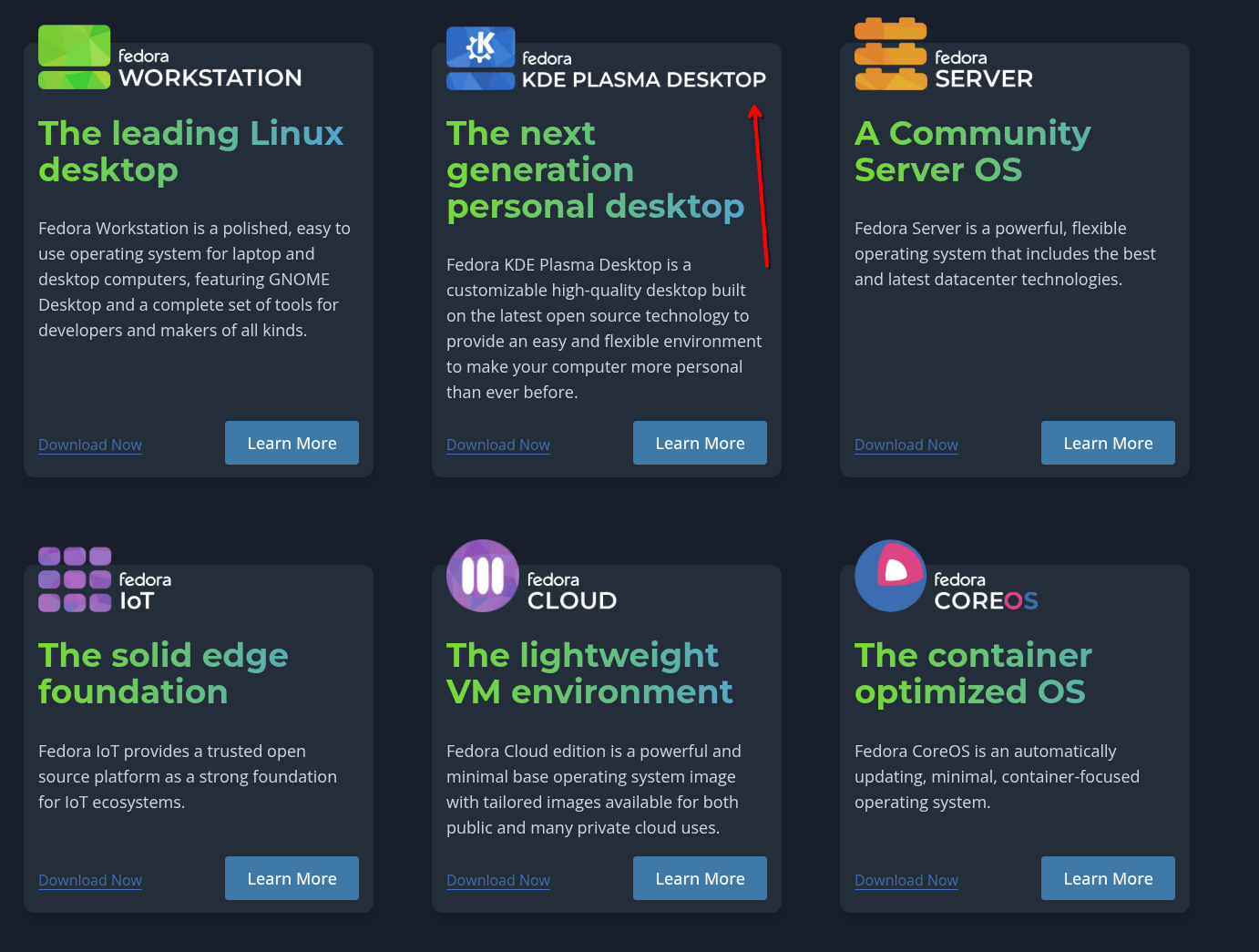
My first reaction was what the hell is that?! I’d never heard of Fedora outside of Indiana Jones and Redhat. I went back and forth arguing with some other solutions like Ubuntu, PopOS, etc.
And it came back with YOU WANT FEDORA YOU ARGUMENTATIVE FOOL.
(I may have given Claude instructions to not sugarcoat responses and just tell me what I want to hear.)
And it was right. This is the way. For my Linux journey I’ll use the base OS, no derivatives. So that means Debian for servers, and Fedora for desktop. Now why a separate foundation for each use case?
Simple.
Debian is the slow but steady guy. Stability is key. Major updates are years apart. You’ll get bug fixed as point releases, and constant security updates. Perfect for servers.
Fedora is the one that supports modern hardware. It updates every six months. It’s the racecar of the two. For my desktop, that’s the ideal place to be for me. One of the key reasons to choose Fedora over something “easy” like Ubuntu is that Canonical owns Ubuntu. It’s a corporate product that makes corporate decisions. As an example of those decisions we’ll get into “snaps” in part two and why for many it’s a dirty word.
Fedora though, is almost entirely community driven, though sponsored by RedHat. There’s a whole internal governance structure to ensure that Fedora sticks with the user base, not the sponsored overlords. These days that’s probably as good as it’s going to get. This was a big reason I made the choice for Fedora.
Conclusion
That about wraps it up for this one. I hope my explanation and reasoning provides some insight into the whole situation. The next part, we’ll get into install and covering what tripped me up and the main differences from Windows.
Until next time.